
Who can see your locations
Only the people who help run your account can see your Locations. Visitors, buyers and other members never see your places, boundaries, moves or QR signs. An animal's profile can show a general area, like your farm's name, but only if you turn that on.
Who sees what
- Owners and co-owners of the account see everything. Only they can create, change, retire or restore places, and set sharing and group homes. On a personal account, that's just you.
- Team members of an organization see its places and record moves. The map is view only for them.
- People who share one animal with you see a Current location section on its profile. That includes a co-owner, a boarding provider or a seller still holding the animal. They see the place's name only if the place belongs to their own account. Otherwise it reads Kept private by the owner, or Away with custodian when the animal is at a boarding provider's or seller's place.
- Care Helpers see the chores for your places on their own Today, but they can't open your Locations. If a helper scans a QR sign, Creatures tells them the place isn't available to them. See Get help with daily care: invite a care helper.
- Everyone else sees none of it.
Show a general area on an animal's profile
Sharing is set one animal at a time, and it's off until you turn it on. Only owners and co-owners can change it. You'll find it on the animal's profile, under Current location in its About details.
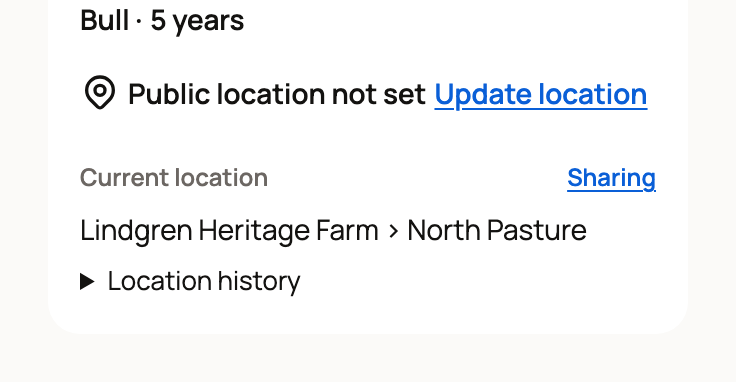
- Select Sharing next to Current location.
- Turn on Show a coarse current area. Coarse means broad, so only a farm or area name is shared.
- Check the Profile preview. It shows the exact words visitors would see, such as "Lindgren Heritage Farm".
- Select Save sharing.
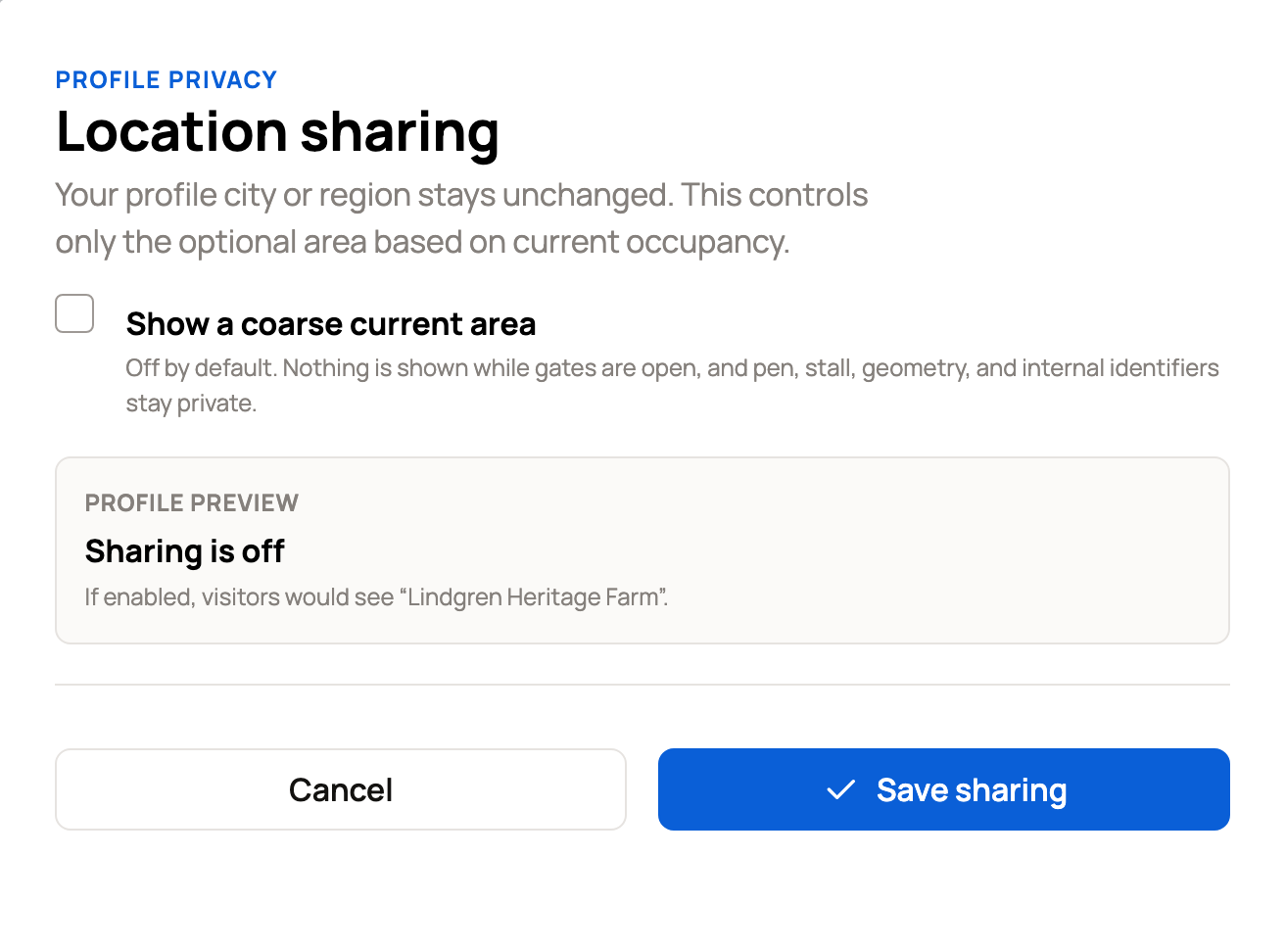
Visitors see the biggest place around the animal whose type is Farm, Zoo or Area. If there isn't one, nothing is shown. They never see the pen, stall, boundary or map. Nothing shows while gates are open, or when the animal isn't in exactly one place. If the animal is at someone else's place, visitors see Away with custodian.
The area shows as Current area only when the profile has no other location. If the animal or its owner already has a town or region on their profile, visitors see that instead.
Keep a group's home private
A group's home is the place where the group usually lives. Buyers never see it.
- Open the group and select Edit.
- Under Private home location, select Choose or create home, or Change home if it has one.
- In Home location, pick a place. You can also type a new name and choose its New location type, and Creatures creates that place for you.
- Select Save home.
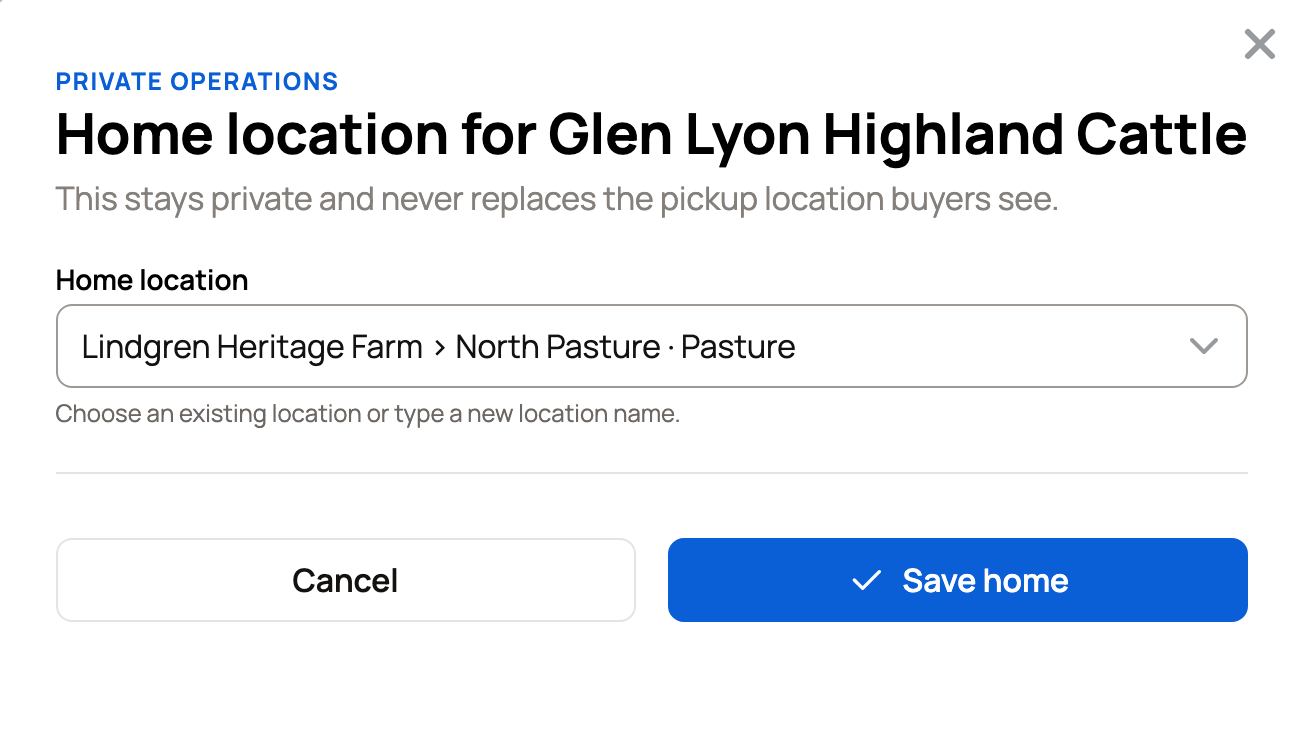
The Location note just above it on the group form, such as "Pasture 4", is different. Buyers can see that note on the group's page and listings. Changing the home never changes it.
If none of the group's animals have a place yet, Today lists the group's chores under its home. You'll need to choose a new home before you can retire a place that's a group's home. See Manage, retire, and restore a location.
Your public location is separate
The town or region on your profile, or on an animal's profile, is public. On an animal's profile, it's the line with the pin icon and Update location, just above Current location. It reads Public location not set until you add one. Locations never changes it, and changing it never touches your places. See Setting up your profile.
Related information
- Set up and organize locations
- Manage, retire, and restore a location
- QR location signs and place chores on Today
- Co-owners and team members: sharing access to an animal
Updated on: 29/10/2026
Thank you!