
Buy hatching eggs and record their arrival
Find hatching eggs on the Eggs tab of the Marketplace, choose your packs and delivery state, and check out. When the box arrives, open the order, count the eggs and confirm the good ones so you can set them.
Choose your eggs
Each listing shows the price per pack and what a pack holds. For example, "6 eggs +1 extra (7 per pack)" means you pay for 6 eggs and the seller adds 1 free extra.
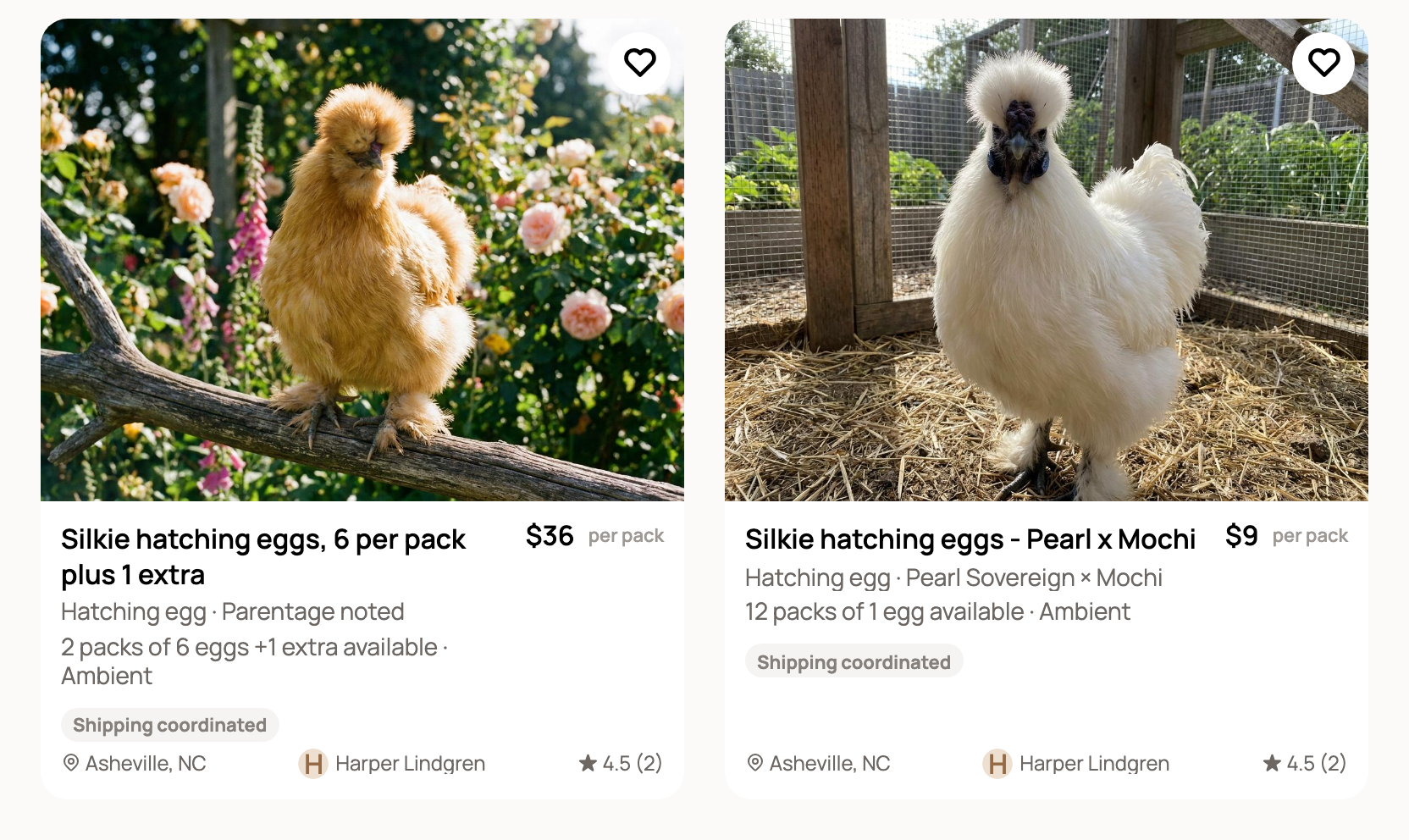
Open a listing and read Hatching egg expectations and the seller's terms. Unless the seller offers a written guarantee, fertility and hatch rate are not guaranteed.
Order your packs
- Set Packs with the minus and plus buttons.
- Choose your Delivery state. Eggs ship within the US only. If the seller doesn't ship to your state, you'll see a message and can't check out.
- Optional: open Choose collections to pick eggs by collection date. Otherwise the oldest eggs are picked for you.
- Check the summary: the amount due, collection dates, shipping week and guarantees.
- Choose Add to cart or Buy now.
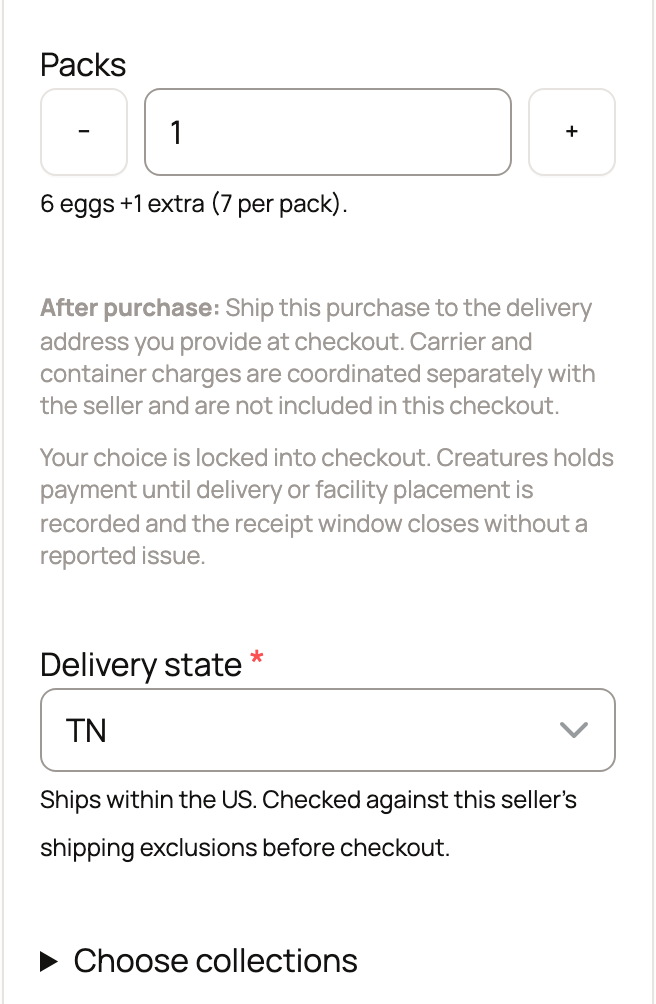
Use an address in the same state at checkout. If the state changes, the order is canceled and refunded. Shipping and container costs are arranged with the seller, outside checkout. For a pickup listing, you skip the state and arrange pickup after you pay.
While you wait
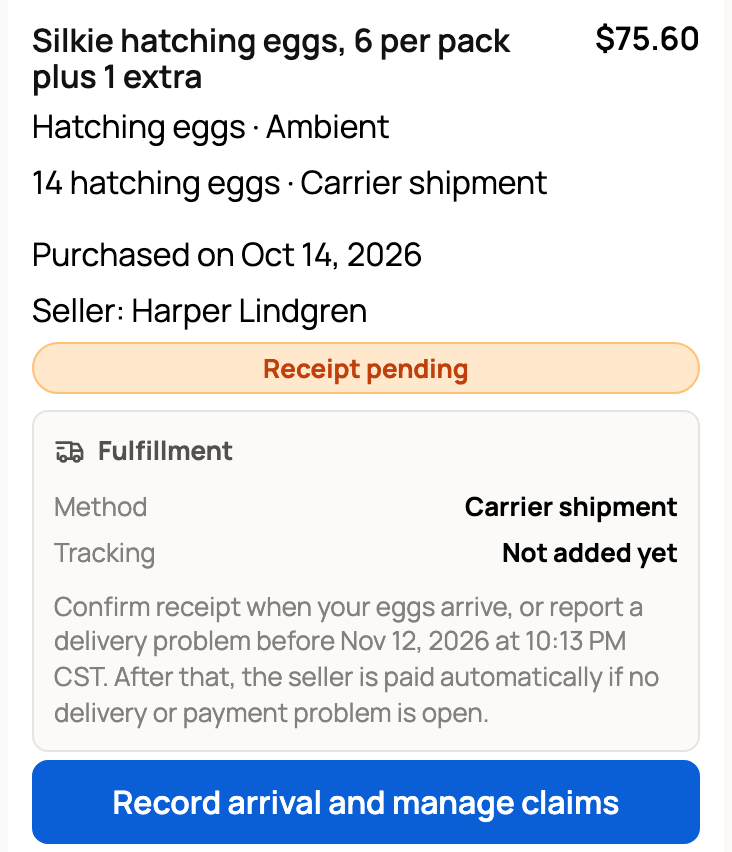
Creatures holds your payment until you confirm the eggs arrived, or until the receipt window closes with no problem reported. Your order is on your Dashboard under Buying, then Purchases, in In progress or Needs action.
Record the arrival
When the box arrives, choose Record arrival and manage claims. Under Record arrival:
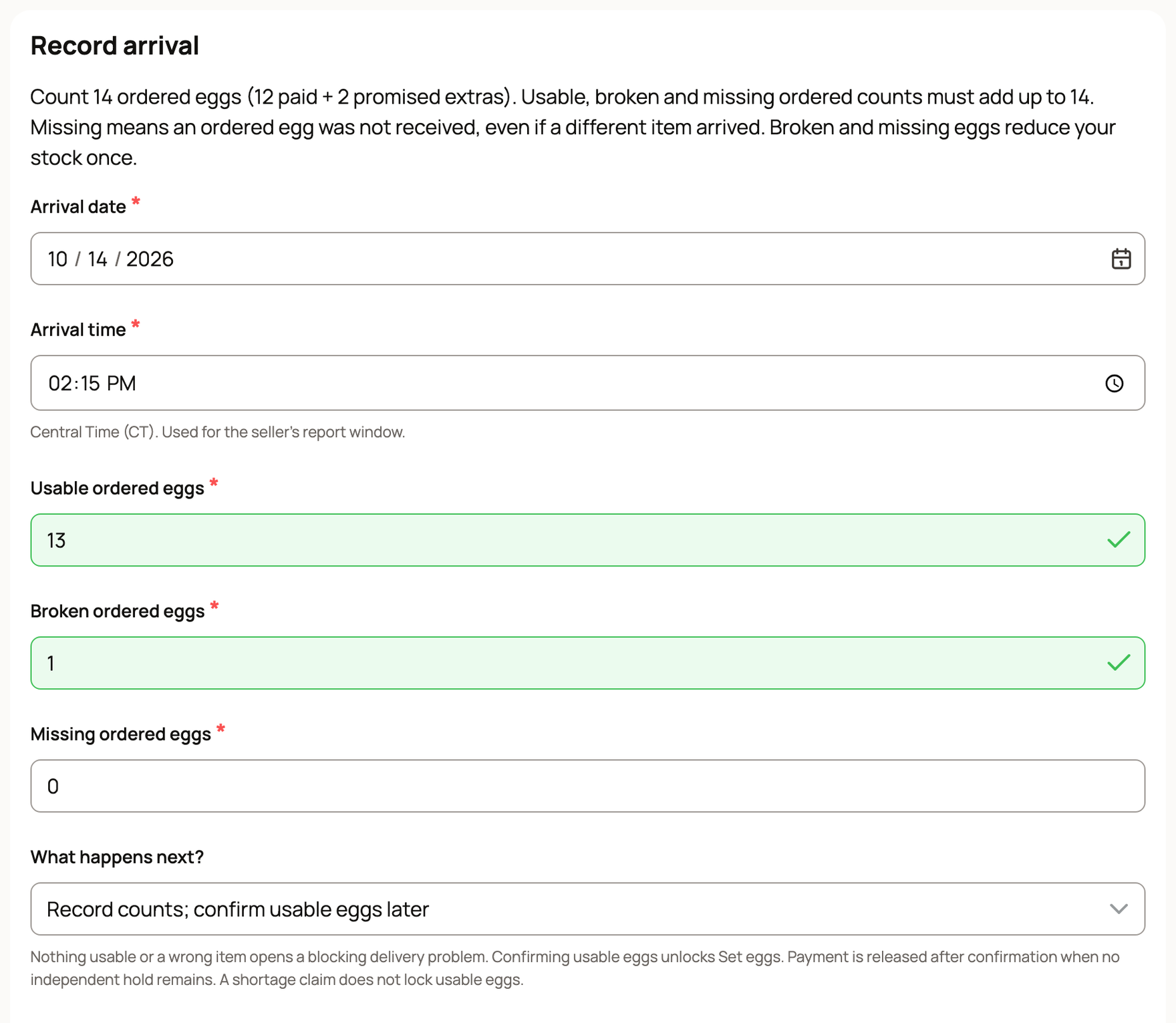
- Check the Arrival date and enter the Arrival time. Your time to report a problem starts here.
- Count the eggs you ordered, promised extras included, into Usable ordered eggs, Broken ordered eggs and Missing ordered eggs. The three must add up to your order. If the seller added bonus eggs on top, count the good ones in Usable optional extras.
- Under What happens next?, choose one:
- Confirm usable eggs if all is well. This unlocks Set eggs and releases the seller's payment, unless something else holds it.
- Record counts; confirm usable eggs later to finish another time.
- Confirm usable eggs and claim the shortage if eggs broke or went missing and the seller offered an arrival guarantee.
- Wrong item arrived; count ordered eggs as missing if the box held something else.
- Add photos under Private evidence if it appears, then choose Save arrival.
Once you confirm, choose Set eggs on the order to start a clutch, the eggs you incubate together. See Set a clutch of eggs and follow incubation.
Make a claim
If the seller offered a guarantee, use Seller guarantees on the order. Record the arrival first.
- Choose the Claim stage, such as Arrival or Fertility.
- For a fertility or hatch claim, pick a dated record under Selected candling or hatch record. It must come from the clutch you set with these eggs.
- Fill in What happened?, add a Requested refund if you like, and choose Send claim to seller.
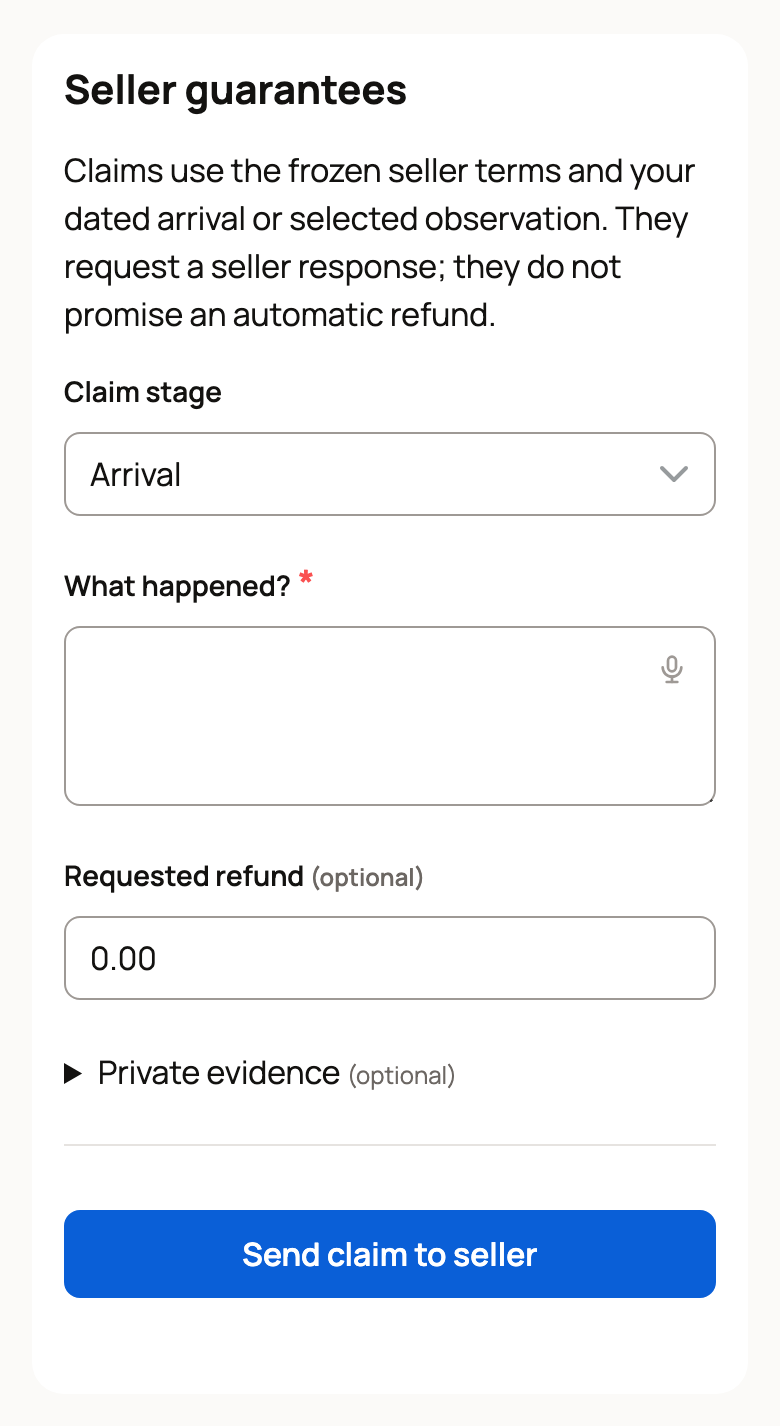
A claim asks the seller to respond. It is not an automatic refund. If the seller says no, choose Ask order support to review.
If nothing usable arrived
Record the counts anyway, or choose the wrong item option. This opens a delivery problem, and Creatures keeps holding the payment while it's sorted out. See Reporting a problem with your purchase.
Related information
- Set a clutch of eggs and follow incubation
- Share a clutch: public page, interest list and hatch card
- Buying several animals with your cart
- Sell hatching eggs by the pack
Updated on: 29/10/2026
Thank you!