
Sell hatching eggs by the pack
To sell hatching eggs, choose List eggs on the Eggs tab of the Marketplace and pick one of your egg lots. You set the eggs in each pack and the pack price, and buyers choose how many packs to buy.
Before you start
- You need eggs in an egg lot. An egg lot is a batch of hatching eggs in Genetics that your egg collections fill. See Collect eggs from your flock.
- Buyers can check out only after you verify your phone and identity. Until then, your listing saves as a draft you can publish later. See What you need to start selling.
You can also start from the egg lot with List for sale, or choose Create egg offer right after you save a collection.
Choose the lot
- Pick the Egg lot. Each choice shows how many eggs are free to list.
- Enter Physical quantity offered: every egg you will hand over, extras included.
- Keep Sale format on Fixed price to sell in packs. Auction sells the whole lot to one bidder, with no packs.
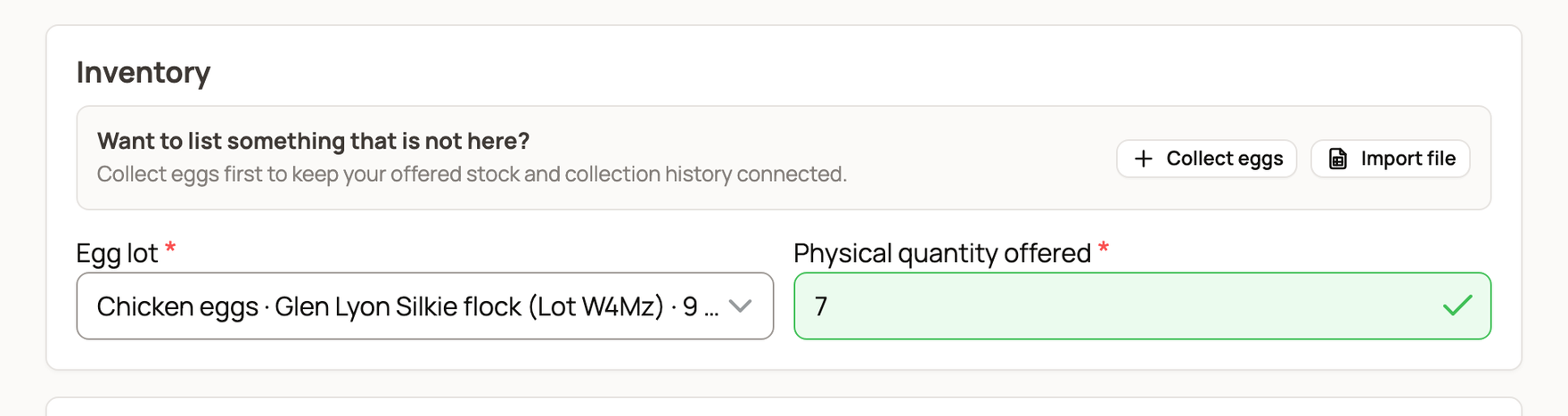
Set up your packs
Under Egg packs, enter:
- Paid eggs per pack: the eggs the buyer pays for.
- Promised extras per pack: free eggs you add to every pack. The pack price covers both.
- Minimum packs, Maximum packs and Pack increment: how many packs one buyer can order, and in what steps. Leave Maximum packs blank for no limit.
A pack of 6 paid eggs and 1 extra uses 7 eggs, so 28 eggs make 4 packs.
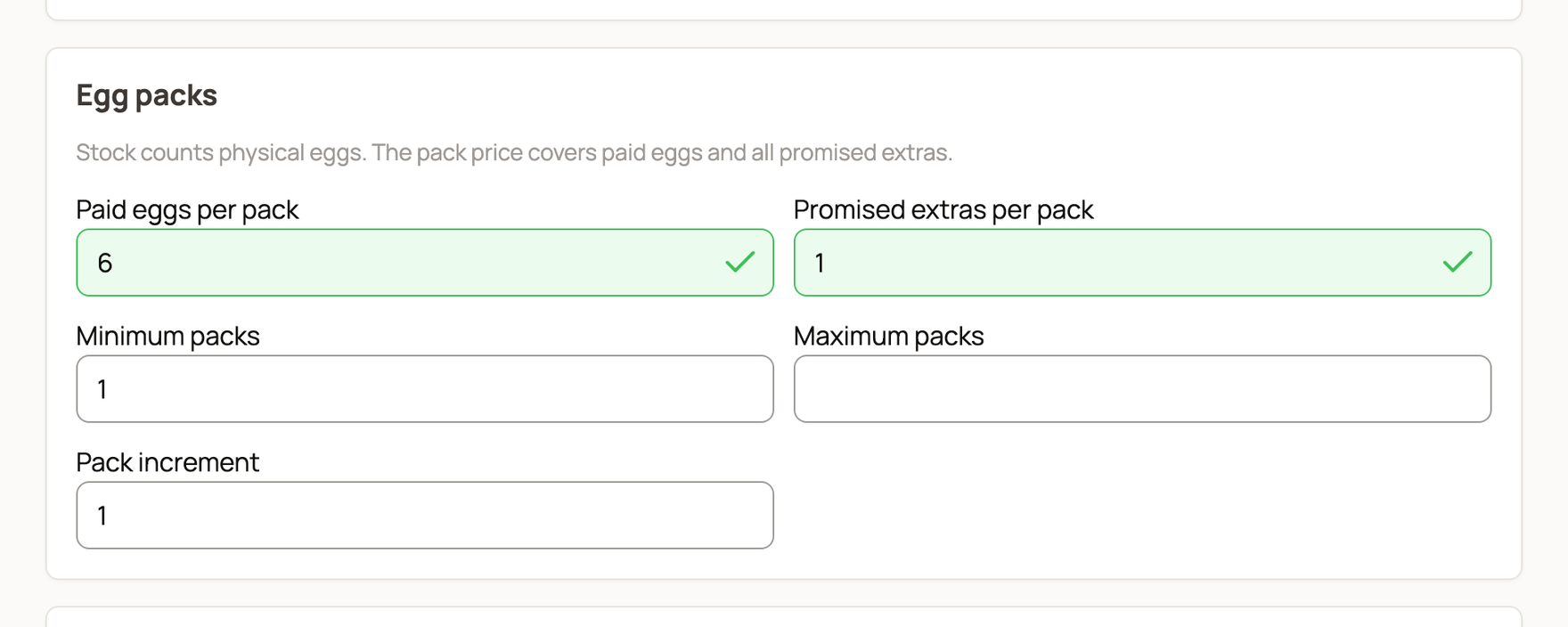
Enter the Price per pack under Listing, with a title and description. For bulk discounts, add Pack price tiers: a Packs from count and a lower Price per pack. Counts must go up, and prices can't.
Pickup or shipping
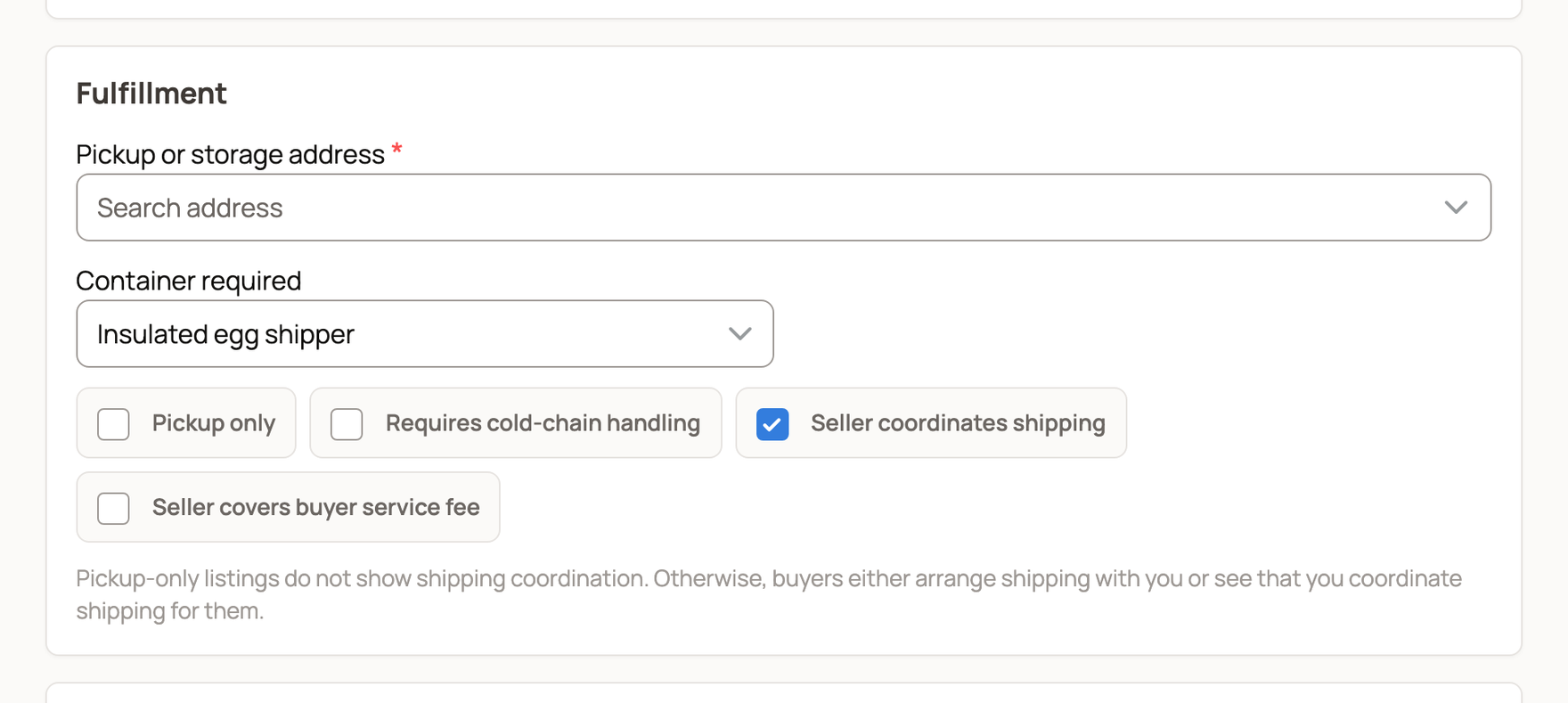
- Enter your Pickup or storage address.
- Pickup only is on at first. To ship, turn it off. Buyers then give a delivery address at checkout.
- Turn on Seller coordinates shipping if you will send the eggs by carrier. Leave it off if you will deliver them yourself.
- Choose a Container required, such as Insulated egg shipper.
Shipping and container costs are not part of checkout. Agree on them with your buyer.
Under Shipping and guarantees, set a Shipping week, starting Monday if you promise one, and your Shipping timezone. Open Shipping exclusions to list states you don't ship to, such as AK, HI. Buyers in those states can't check out.
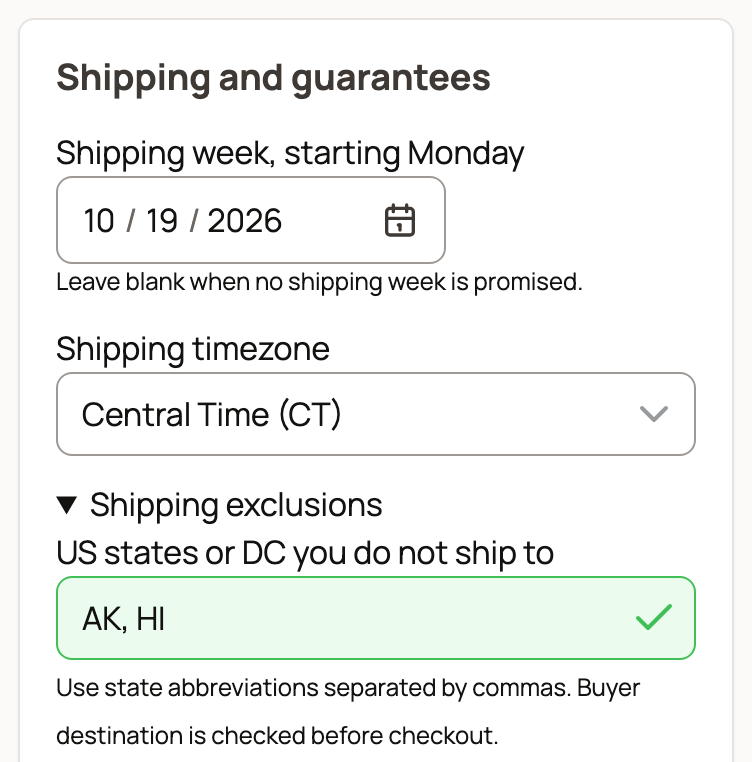
Offer a guarantee (optional)
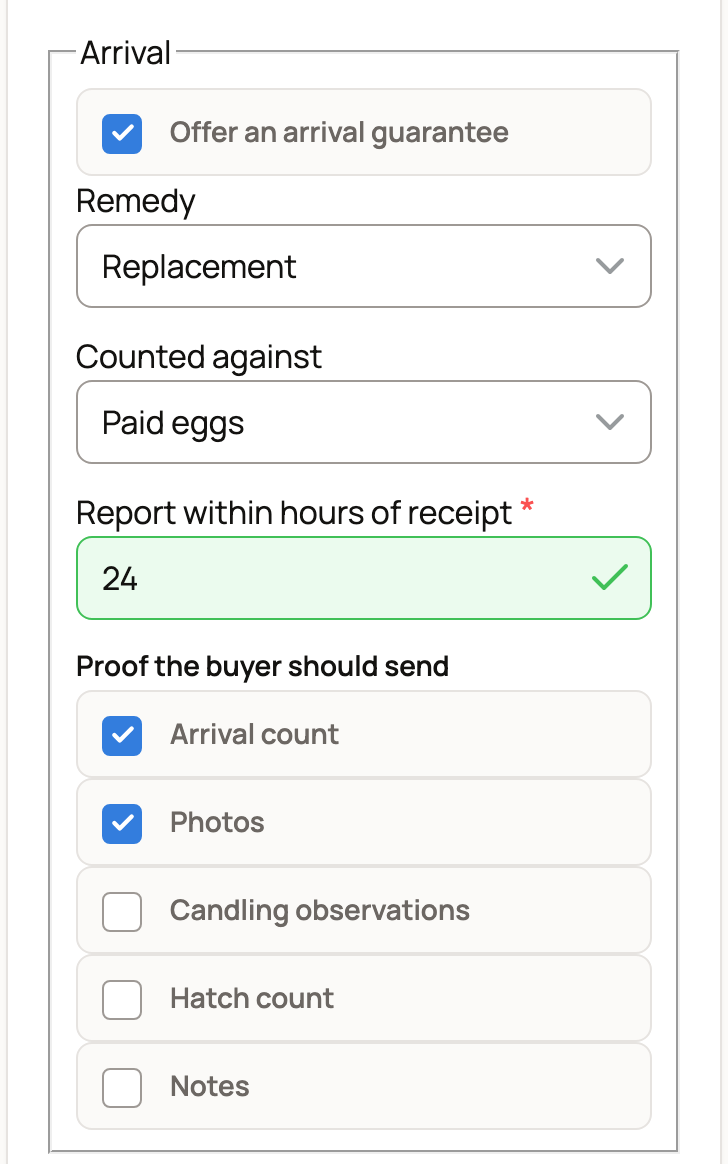
Open Optional guarantees to offer terms for Arrival, Fertility or Hatch. Nothing is guaranteed unless you turn it on, so offer only terms you will honor. For each one, set:
- Remedy: Refund, Replacement or Seller's choice of refund or replacement.
- Counted against: which eggs the guarantee is measured on, such as Paid eggs or Eggs assessed.
- How many hours the buyer has to report. Fertility and hatch terms also ask which days of incubation count.
- Under Proof the buyer should send, tick what you need, such as Arrival count or Photos.
Preview and publish
- Selling under an NPIP number (National Poultry Improvement Plan)? Turn on I declare this sale under my NPIP identity and fill in your details. This is your own statement, not a Creatures check.
- Under Buyer preview, pick Preview packs and, if you ship, a Preview delivery state. You see the exact charge and terms a buyer gets. Nothing is saved.
- Choose Publish listing.
What happens next
Your eggs show on the Eggs tab, priced per pack, until the packs run out. To add newly collected eggs, open the egg lot and choose Add eggs to this offer. To change terms, open the listing and choose Edit listing. Orders already placed keep the terms they were bought under.
Related information
- Manage egg orders: extras, shipping and claims
- Collect eggs from your flock
- Buy hatching eggs and record their arrival
- Listing genetics on the marketplace
Updated on: 29/10/2026
Thank you!