
Collect eggs from your flock
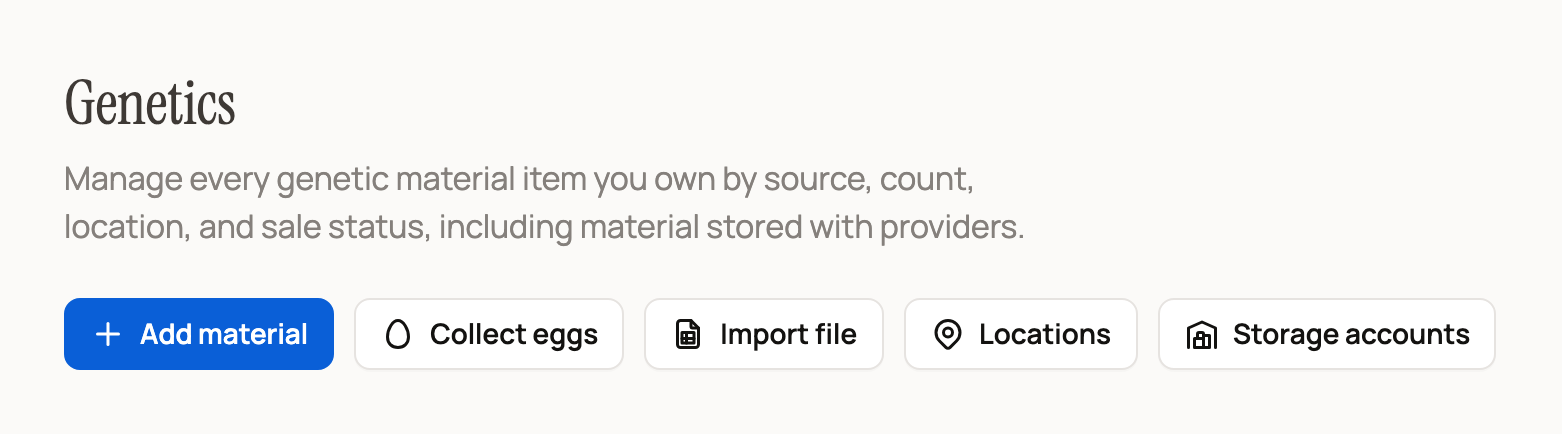
Use Collect eggs each time you gather eggs from a hen or flock. Kept eggs build an egg lot, a batch of hatching eggs in Genetics that you can hatch or sell by the pack.
Before you start
Collect eggs appears once you keep egg layers on Creatures, such as a hen or a flock. Look for it at the top of Today, in Genetics and in the Egg clutches section of your Breeding dashboard. It is also on a flock's page, a hen's Breeding tab and under Create (+) on your phone.
New here? Add your birds first. A whole flock can be one count group, tracked as a single headcount.
Log a collection
- Select Collect eggs. Starting from a flock or hen fills it in for you.
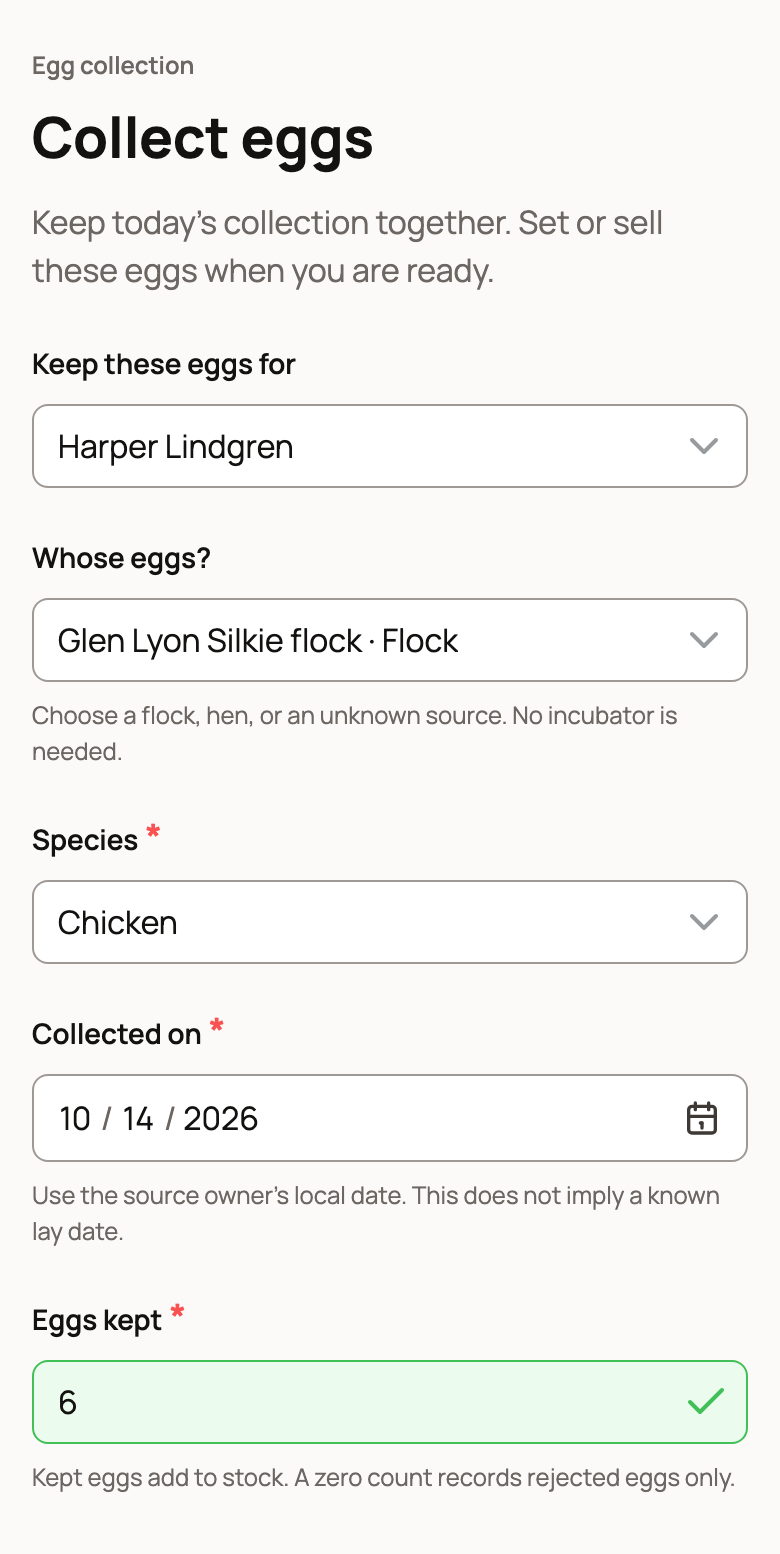
- If you collect for an organization you manage, pick it in Keep these eggs for.
- In Whose eggs?, choose your flock, a hen, or Unknown source.
- Check Species. It fills in from a flock or hen, so you only pick it for an unknown source.
- Collected on starts at today. It is the day you gathered the eggs, not the day they were laid.
- Enter Eggs kept: the eggs you plan to set or sell.
Add rejected eggs and dates (optional)
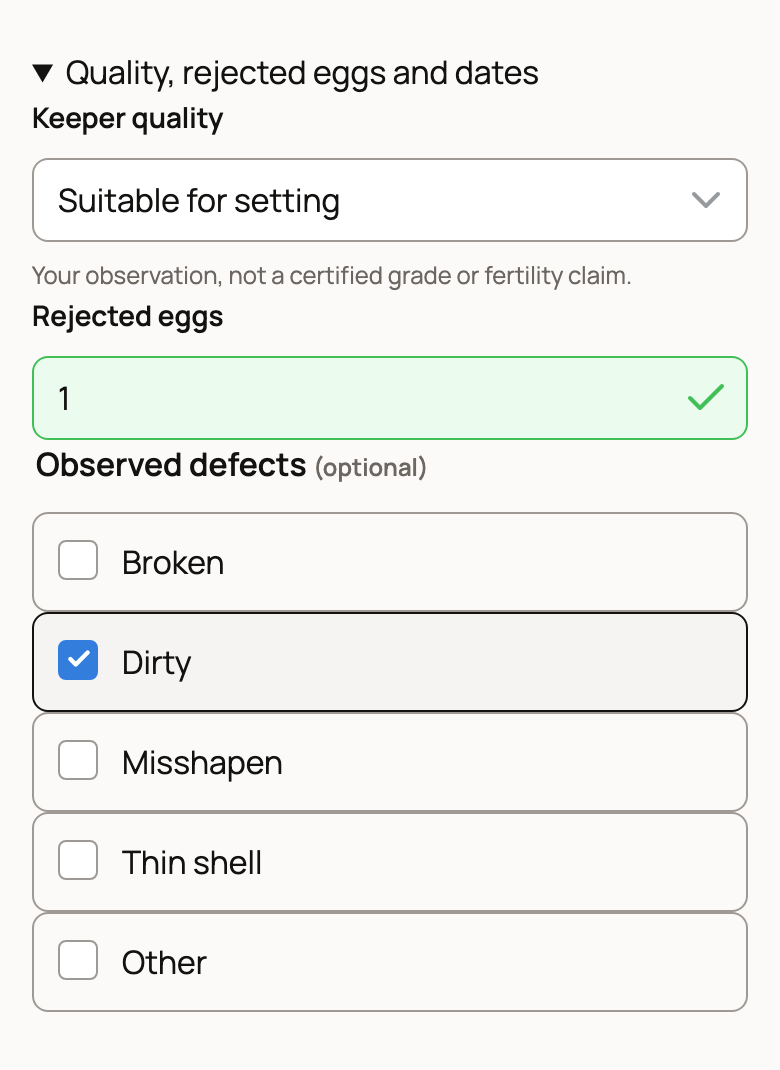
Open Quality, rejected eggs and dates for more detail:
- Keeper quality (Suitable for setting, Uncertain or Not held) is your own judgment, not a grade. Use Not held only with 0 in Eggs kept, counting those eggs as Rejected eggs.
- Rejected eggs counts the ones you threw out. Tick any Observed defects, such as Dirty.
- If one entry covers several days, fill in Collection range ends. Add lay dates only if you know them.
Check where the eggs go, then save
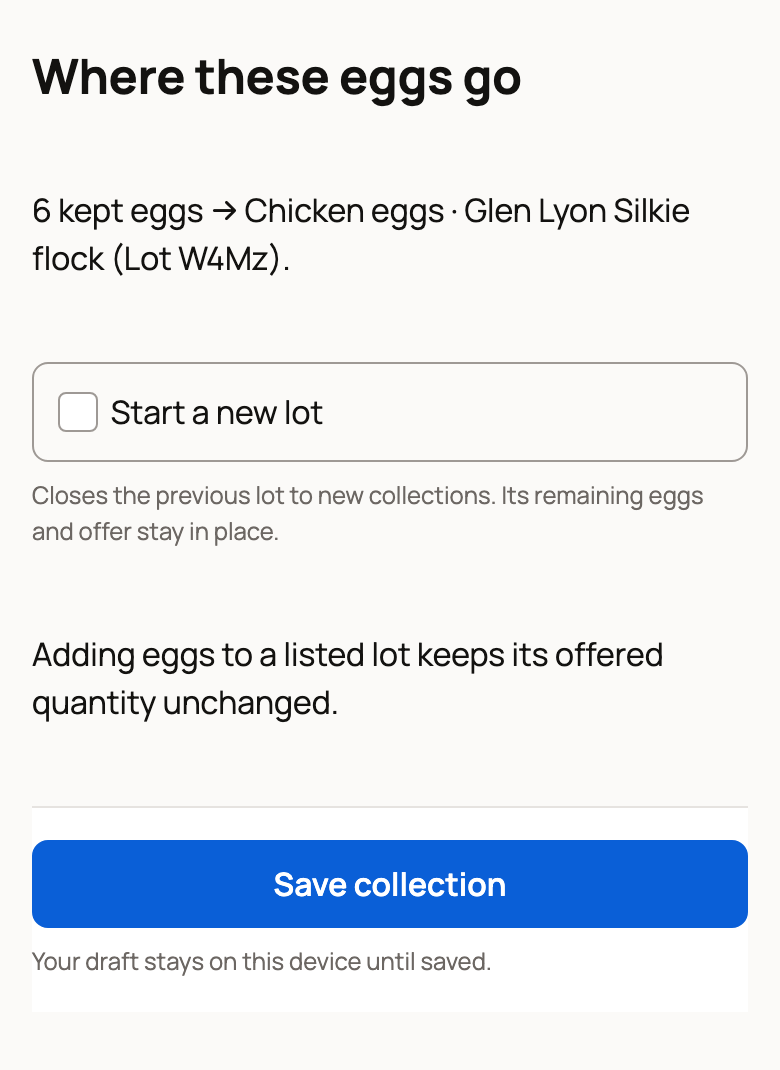
Where these eggs go shows which egg lot gets your kept eggs. Eggs from the same flock or hen join the same open lot, so a week of collecting stays together. A different Keeper quality starts its own lot.
- Start a new lot appears when an open lot already exists for that source. Turn it on to begin a fresh batch. The old lot takes no more eggs but keeps its eggs and any listing.
- If the lot is listed for sale, new eggs do not change how many it offers. To sell them too, choose Add eggs to this offer on the egg lot.
Select Save collection once the preview shows.
What happens next
Collection saved shows how many eggs went into the lot and how many are ready to set or sell. Choose Open egg lot to see its history. If you kept eggs, you can also choose:
- Set eggs to start a clutch, a group of eggs you incubate together.
- Create egg offer to sell them by the pack.
Genetics also shows Your collections this week, a seven-day total of eggs kept and rejected.
If something looks wrong
- Wrong count or date? Open the egg lot in Genetics and choose Correct collection for that day. Give a reason. Eggs already set or listed for sale cannot be removed this way.
- Eggs broke or got used later? Choose Record loss or use on the egg lot. The original collection record stays.
- Save not confirmed? Choose Retry saved collection. It never adds the eggs twice.
Related information
- Set a clutch of eggs and follow incubation
- Sell hatching eggs by the pack
- Managing your Genetic Inventory
- Your Today page: what's due and how to check it off
Updated on: 29/10/2026
Thank you!