
Set a clutch of eggs and follow incubation
Choose Set eggs to start a clutch, the batch of eggs you incubate together. Creatures then counts the days, plans your candling and lockdown checks for the species, and shows when the eggs should hatch.
Before you start
Set eggs shows up once you keep egg layers on Creatures: a hen, a flock, or hatching eggs saved in Genetics. If you don't see it, add your birds first. A flock tracked by head count works fine, so you don't need a profile for every hen. See Track animals without individual profiles.
Just added a hen? If she's your first animal, the card after you save her offers Set a clutch. Home may also show Set [name]'s first clutch for her first week. Both open Set eggs with her picked.
Start a clutch from any of these places:
- Dashboard, then Breeding under Animals & Groups, in the Egg clutches panel.
- A hen's Breeding tab, or Set eggs from this group at the top of a flock's page.
- A batch of hatching eggs in Genetics.
- On a phone, Create in the bottom bar.
Set the eggs
- Under Which eggs?, choose This hen or female, A flock, Existing stock or bought eggs or Not sure.
- Pick the bird or flock. For stock, choose Already in my Genetics or Bought or given elsewhere under Where did you get them?, then pick Your eggs. Creatures uses your oldest eggs first unless you open Choose collections.
- Enter Eggs to set and the Set date (today or earlier).
- Check the Species. It fills in from the source. Breed is optional.
- For chickens, pick a Day-count convention: Day 0 when set · days elapsed, or Set before noon is Day 1.
- Open More details for extras such as Father, if known, Incubation method (In an incubator or Under a broody hen) and the incubator under Where? (optional).
- Select the button with your count, such as Set 12 eggs.
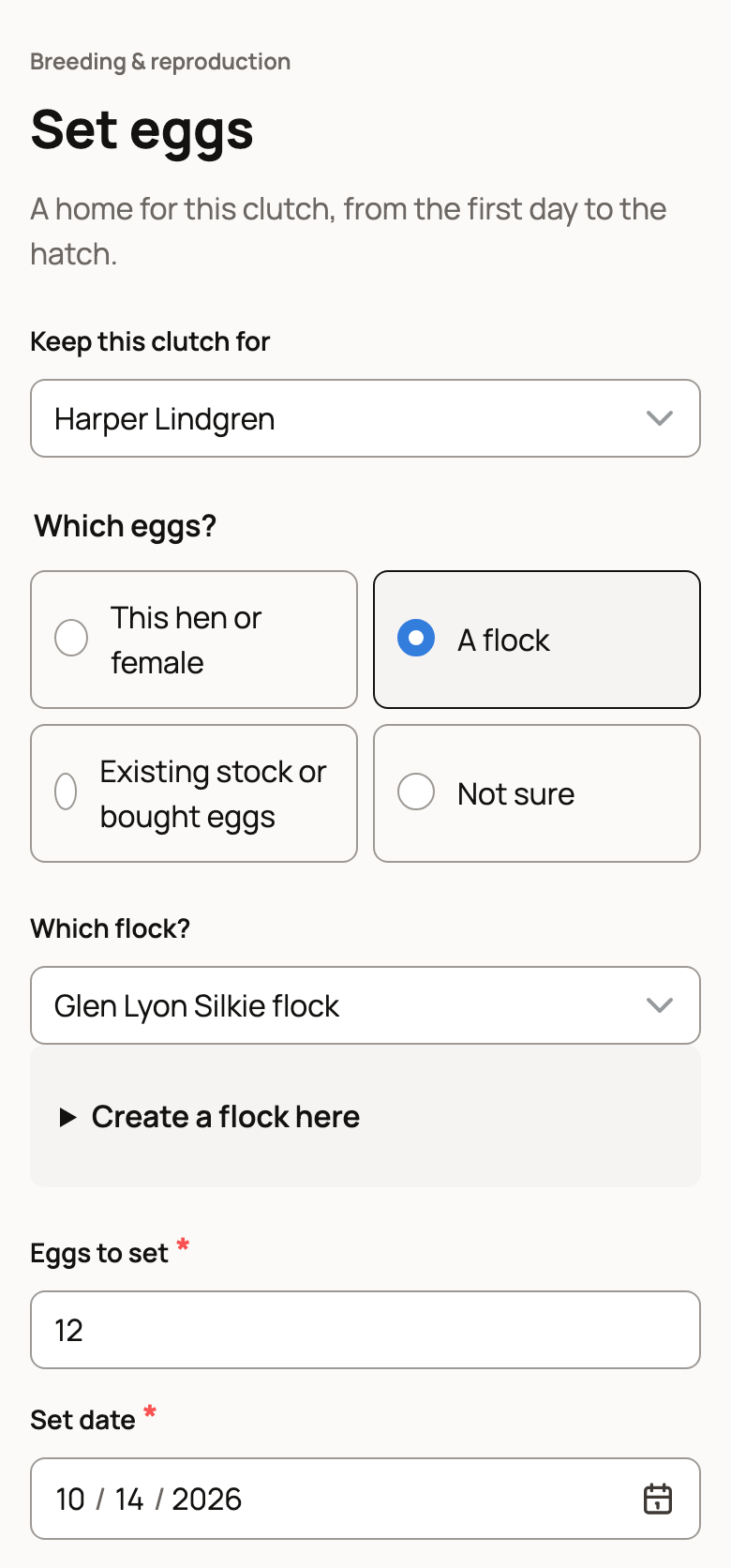
If you manage a farm on Creatures, Keep this clutch for sets who owns it. Setting eggs from several batches in Genetics? Use Add another egg source (up to 20).
Setting eggs from one hen? More details also has Show the set date and egg count on her public breeding history. It starts on. Turn it off to keep those private. The clutch, your notes and the chicks stay private either way.
Follow the clutch
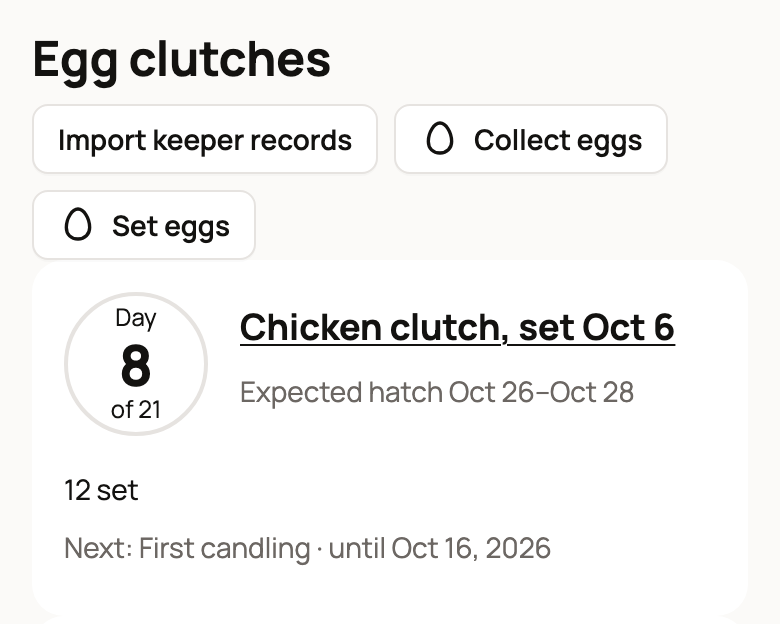
The private clutch page shows the day count, such as Day 8 of 21, the expected hatch dates and your next check.
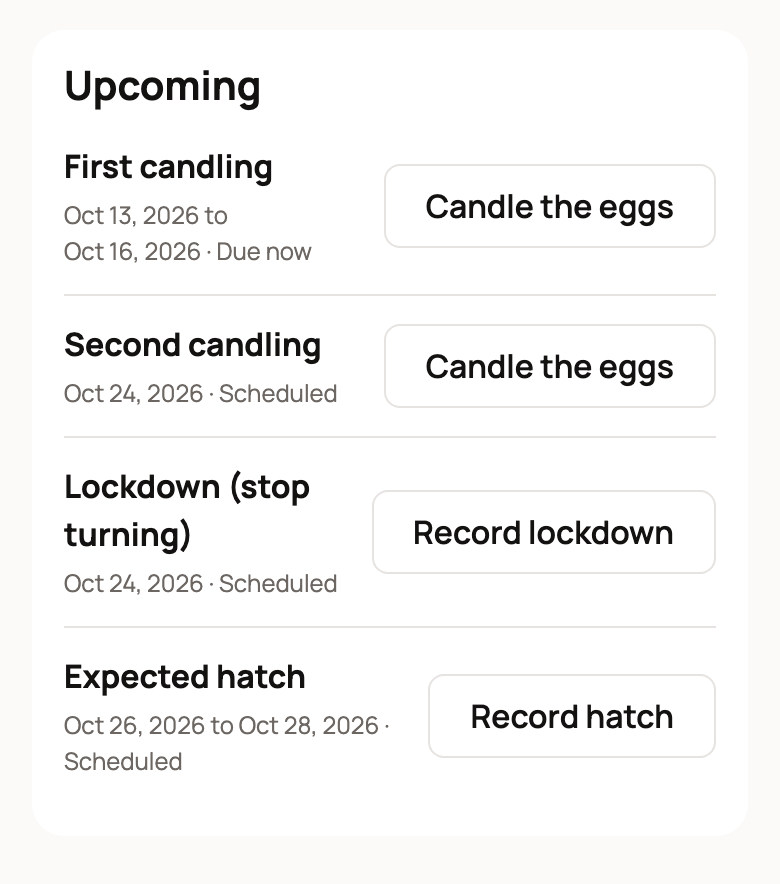
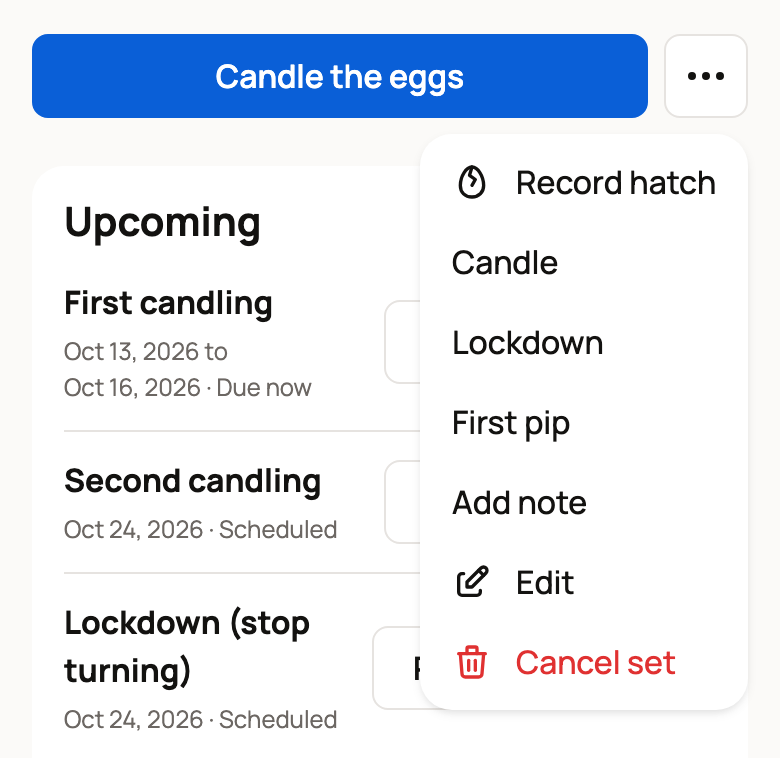
Under Upcoming, each check has its dates, a status and a button: Due now, Scheduled, or Overdue · record it or skip it if you missed it. Chickens get a First candling on days 7 to 10, a Second candling and Lockdown (stop turning) on day 18, and an Expected hatch window. Other species follow their own schedule. Ready checks also appear on your Today page.
Candling means shining a light through each egg to see if a chick is growing. Lockdown is the last few days before hatch: you stop turning the eggs, raise the humidity and keep the lid closed.
Record a candling check
- Select Candle the eggs.
- Leave This check on Record what I observed.
- Enter Eggs looked at, then split them into Developing, Clear, Early dead and Uncertain. The four should add up to the eggs you looked at.
- Enter Eggs pulled out, if any. Turn on I checked that the pulled clear eggs were infertile only if you confirmed it.
- Select Save candling.
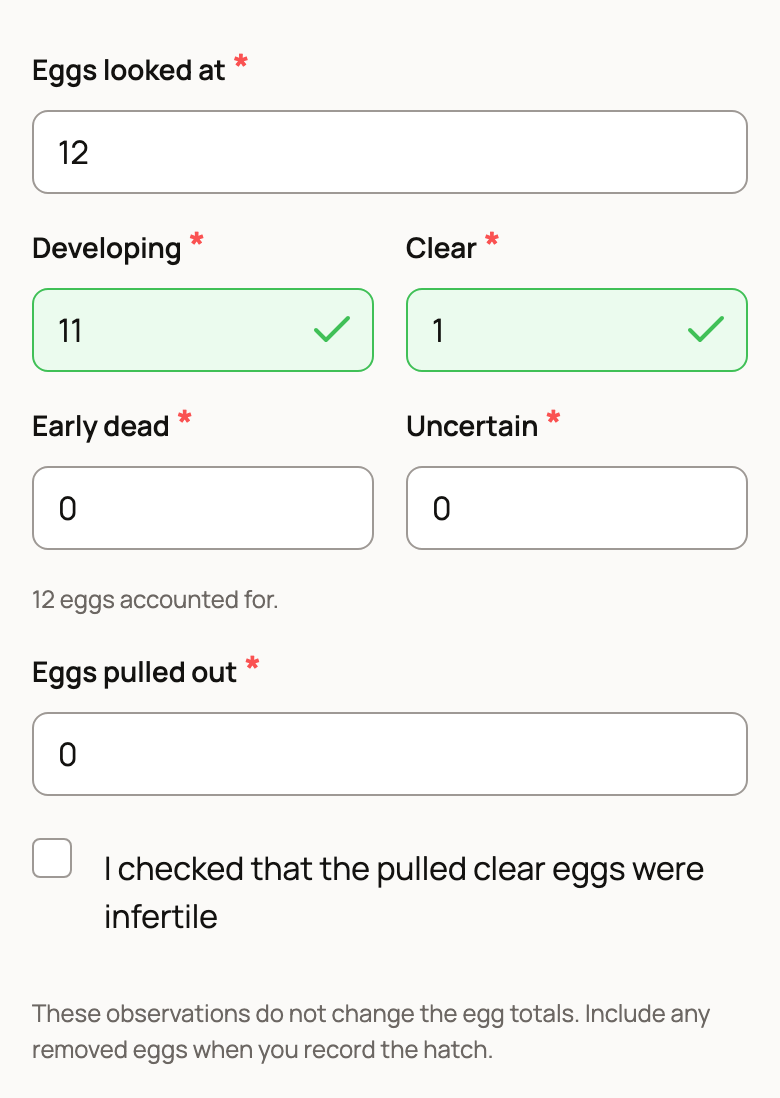
Candling doesn't change your egg totals. Count any eggs you pulled when you record the hatch. Can't candle today? Choose Skip this check, or Reschedule this check and pick a New date.
Lockdown, pips and notes
The ⋯ button (More clutch actions) next to the main button opens: Record hatch, Candle, Lockdown, First pip, Add note, Edit and Cancel set. Lockdown records Turning stopped, Humidity adjusted for this species and Lid closed. Add note takes an optional Temperature °C and Humidity %. A pip is the first hole a chick breaks in its shell.
Two clutches in one incubator with different lockdown days? The page shows Shared incubator check. Creatures doesn't move either schedule, so check both clutches.
If something looks wrong
- Wrong count or date: choose Edit while the eggs are still incubating.
- Eggs set by mistake: choose Cancel set before you save any hatch counts. Eggs taken from your stock go back to it.
- No dates shown: some species have no forecast yet. The clutch still counts the days, and you can enter Expected incubation days yourself.
Related information
- Record a hatch and add your chicks
- Collect eggs from your flock
- Share a clutch: public page, interest list and hatch card
- The breeding dashboard
Updated on: 29/10/2026
Thank you!