
Record a hatch and add your chicks
Open the clutch and select Record hatch, then save the totals so far as chicks arrive. When every egg has an outcome, finish the hatch. Your chicks stay together as the brood until you give them profiles or move them to a flock.
The brood is the group of chicks from one clutch. Creatures tracks it by head count, so you don't need a profile for every chick on day one.
Record the hatch as it happens
Record hatch becomes the main button on the clutch page once the hatch window opens or you record a pip. You'll also find it on your Today page and in the ⋯ menu.
- Enter Hatched, and Of those, assisted if you helped any chicks out. Assisted chicks count as hatched too.
- Open Eggs that did not hatch and fill in what applies: Clear eggs pulled, Stopped developing, Failed after pipping, Failed without pipping or Broken eggs.
- Check the still incubating count. It shows how many eggs have no outcome yet.
- Select Save hatch progress.
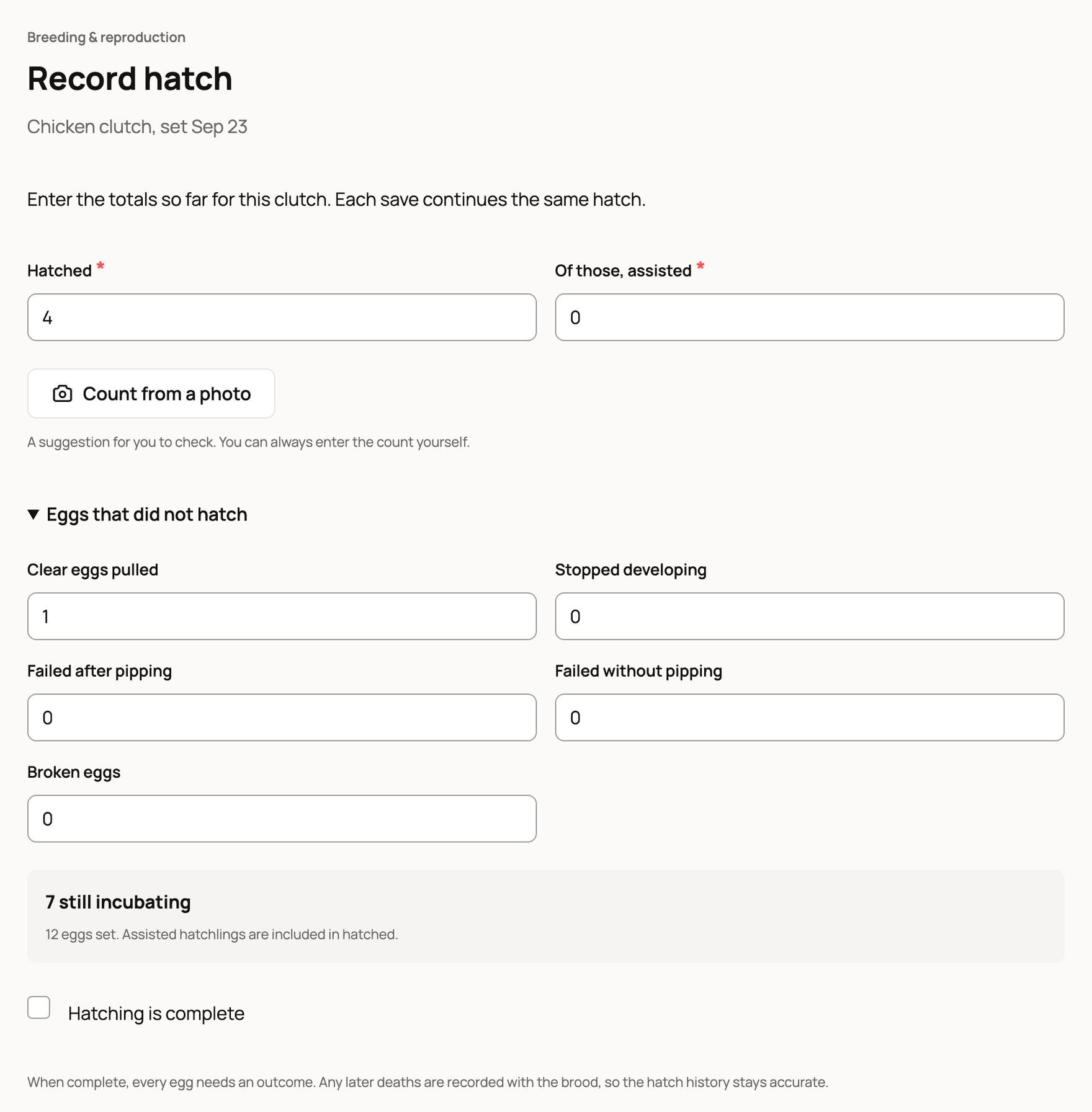
Enter running totals, not just the new chicks. If 4 hatched this morning and 3 more tonight, enter 7 the second time. You can add the First hatch and Last hatch times under Times and notes.
Finish the hatch
When every egg has hatched or has an outcome, turn on Hatching is complete. The button changes to Complete hatch. If eggs are still incubating, you'll see "Record the remaining eggs before finishing." Saving with no eggs left incubating also finishes the hatch.
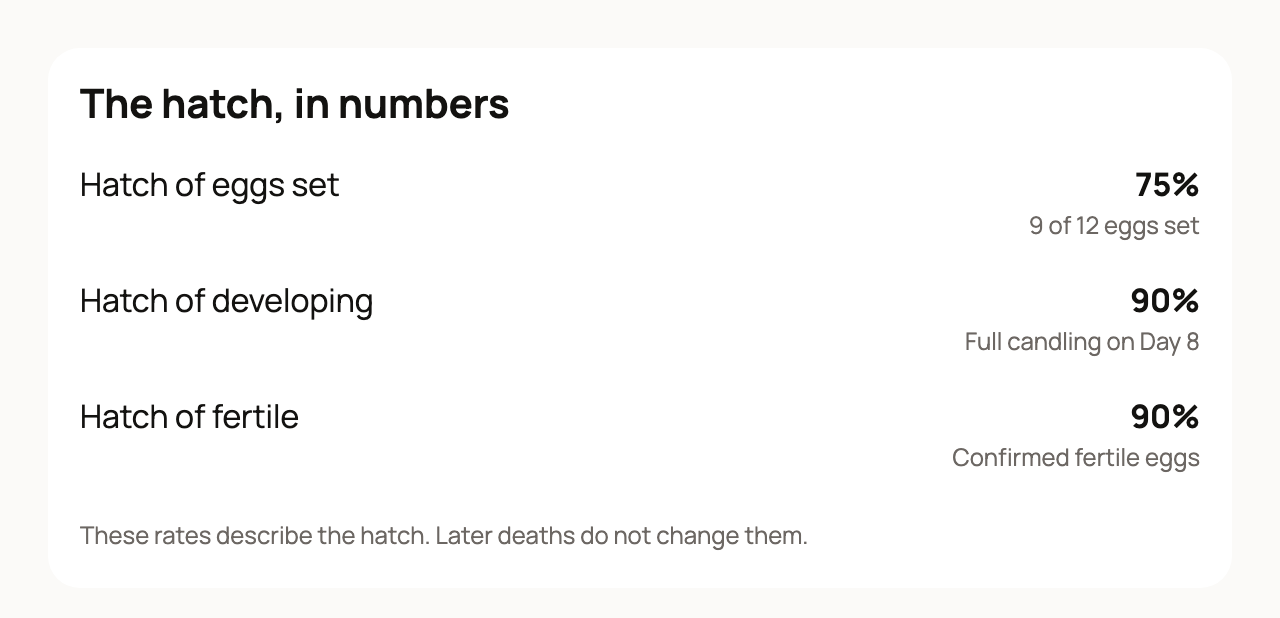
The clutch then shows Hatched with your count, for example 9 of 12. The hatch, in numbers shows your hatch rate three ways: of the eggs set, of the eggs that were developing, and of the fertile eggs. These read Provisional until the hatch is complete. A chick that dies later doesn't change them.
Add your chicks
The brood panel on the clutch page shows how many chicks hatched, how many are living and how many still need profiles.
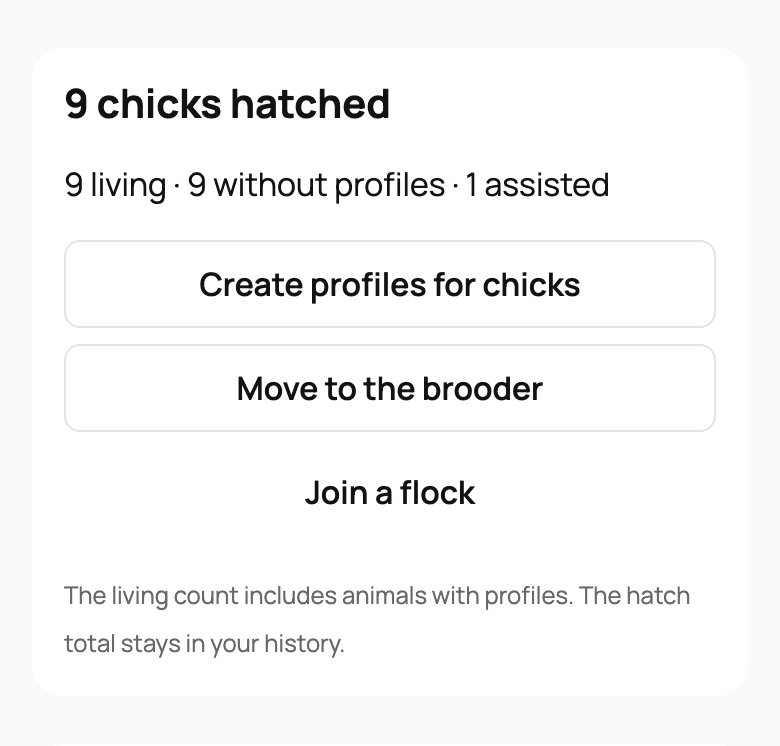
- Select Create profiles for chicks. The brood's Animals tab opens.
- Under Promote to individual profiles, fill in what you know: Call name, Sex, Identifier type (Band, Toe punch, Zip tie or Other), Identifier and Hatched on. A blank name gets a temporary one, such as "Chick 1", until you rename it.
- Select Create profile. To save several chicks at once, choose Add another profile first. The button then counts them, such as Create 3 profiles.
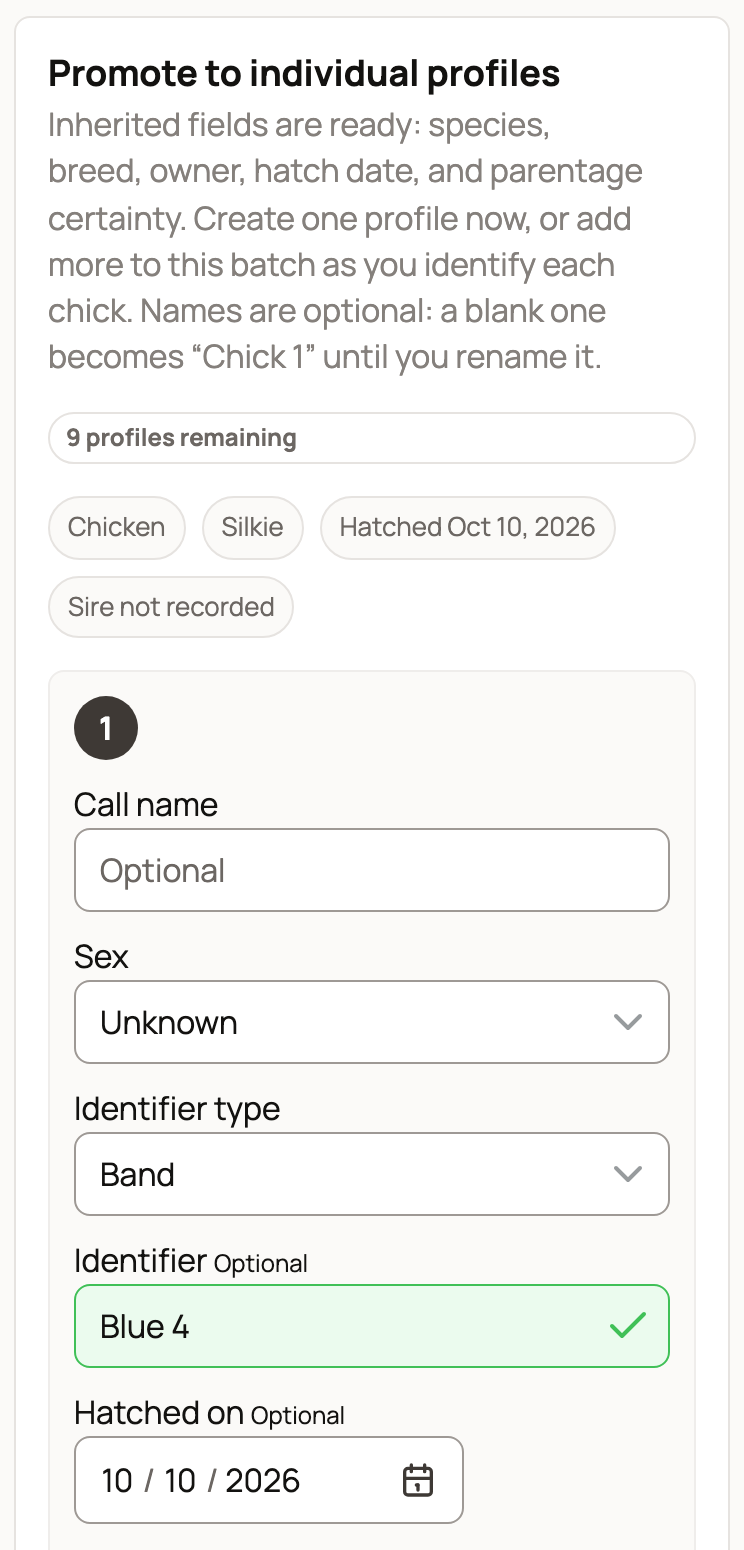
Each profile starts with the species, breed, owner and hatch date from the brood.
Move the brood
- Move to the brooder moves the brood to one of your places. It shows once you have a place set up. See Move animals and review location history.
- Join a flock moves chicks into one of your flocks. Pick Which flock?, set Animals without profiles to move, and turn on Move their place with the flock to move them to the flock's home place. Then select Join the flock. The brood keeps its hatch history.
If something looks wrong
- A count was wrong after you finished: choose Reopen hatch on the clutch page within 30 days, fix the counts and save again.
- A chick dies later: record it with the brood or on the chick's profile. Your hatch numbers stay as they were.
Calves, kids, foals and other live births use Recording a birth and adding the babies instead.
Related information
- Set a clutch of eggs and follow incubation
- Share a clutch: public page, interest list and hatch card
- Track animals without individual profiles
Updated on: 29/10/2026
Thank you!